Quick Web Inspector speeds visual HTML and CSS checks for developers
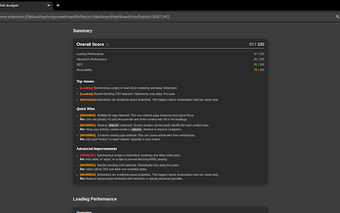
Quick Web Inspector, by Dat Hoang, is a Chrome extension that accelerates small-scale HTML and CSS checks for web developers and designers. It lets users inspect page elements and apply immediate style changes without opening the full DevTools panel, reducing context switches during iterative design. The extension offers hover-based selection, inline CSS editing, and a native-style DevTools interface. It targets front-end developers and visual designers who need fast, low-friction verification while prototyping.
How it fits into a developer's inspection workflow
Quick Web Inspector is explicitly built to complement Chrome DevTools rather than replace it, providing a lighter inspection surface for minor adjustments. The extension reduces the need to open DevTools for quick checks, which the developer positioned as a way to avoid toggling the full panel for small CSS changes. That trade-off suits iterative tasks where opening the full inspector interrupts flow, while deeper debugging still relies on the browser's native tools.
How element selection and editing behave in practice
The extension activates inspection when you hold the Ctrl key while hovering, which makes element selection quick and intentional. Once an element is selected, you can edit CSS inline and see style changes applied in real time, and view HTML node attributes in a compact panel. This workflow supports rapid experimentation with layout and styles without switching to a separate developer window.
How it performs and which browsers it supports
The extension is described as lightweight, aiming to keep additional browser resource use to a minimum during inspection tasks. It runs on Google Chrome and other Chromium-based browsers, including Microsoft Edge, Brave, and Opera, so workflows that rely on Chromium rendering can use it directly. This compatibility makes it practical for developers who test across Chromium family browsers but not for engines outside that ecosystem.
Account requirements and developer pedigree
The extension's store listing notes that a Google account may be required to use its features after installation, which is relevant for teams with managed accounts or strict sign-in policies. The tool is published by independent developer Dat Hoang, who has released multiple utility extensions, and user ratings are generally positive for its simplicity and efficiency. That combination suggests ongoing maintenance by a single developer and favorable reception among everyday users.
Final assessment: a focused tool for fast visual checks
Quick Web Inspector is a practical option for front-end developers and designers who want rapid, low-friction verification during iterative work. It sacrifices full debugging depth in favor of quick interactions, and the potential requirement for a Google account may affect certain workflows. Use it alongside standard tools as a quick verification layer; keep the native inspector available for complex troubleshooting.